Software for AC technicians and field service: every call on your phone
Last updated:
Dougri is a Hebrew-first system for service calls and installations. Every call opens as an order with a status, and the customer card has the address, the phone and buttons to call, WhatsApp, or navigate in Waze or Google Maps. Mark a task as an on-site visit and the technician it is assigned to gets the visit address and the phone on that task too. Technicians see today’s and overdue tasks on their phone, and Facebook and Instagram enquiries land on a lead board.
Which calls are still open?
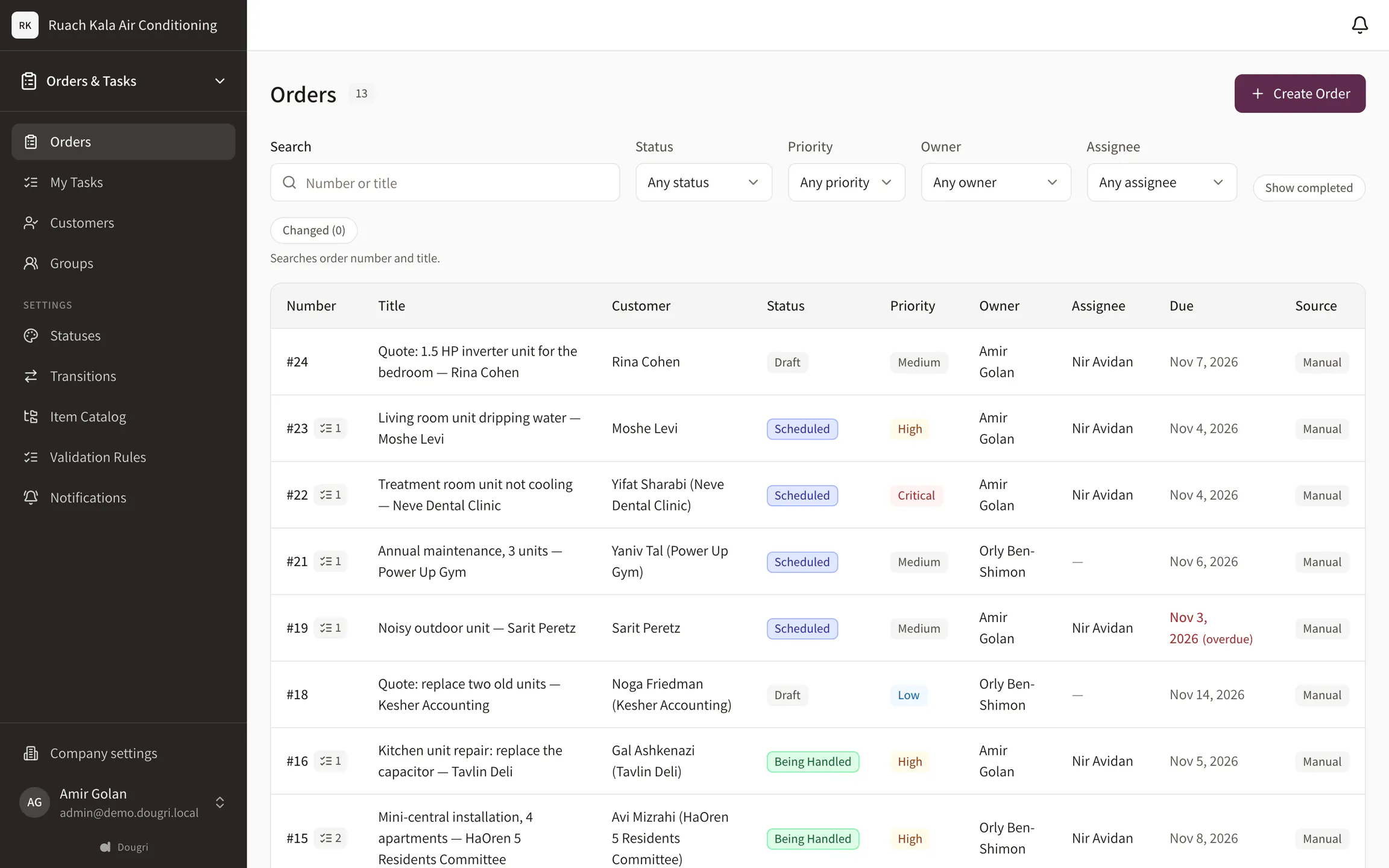
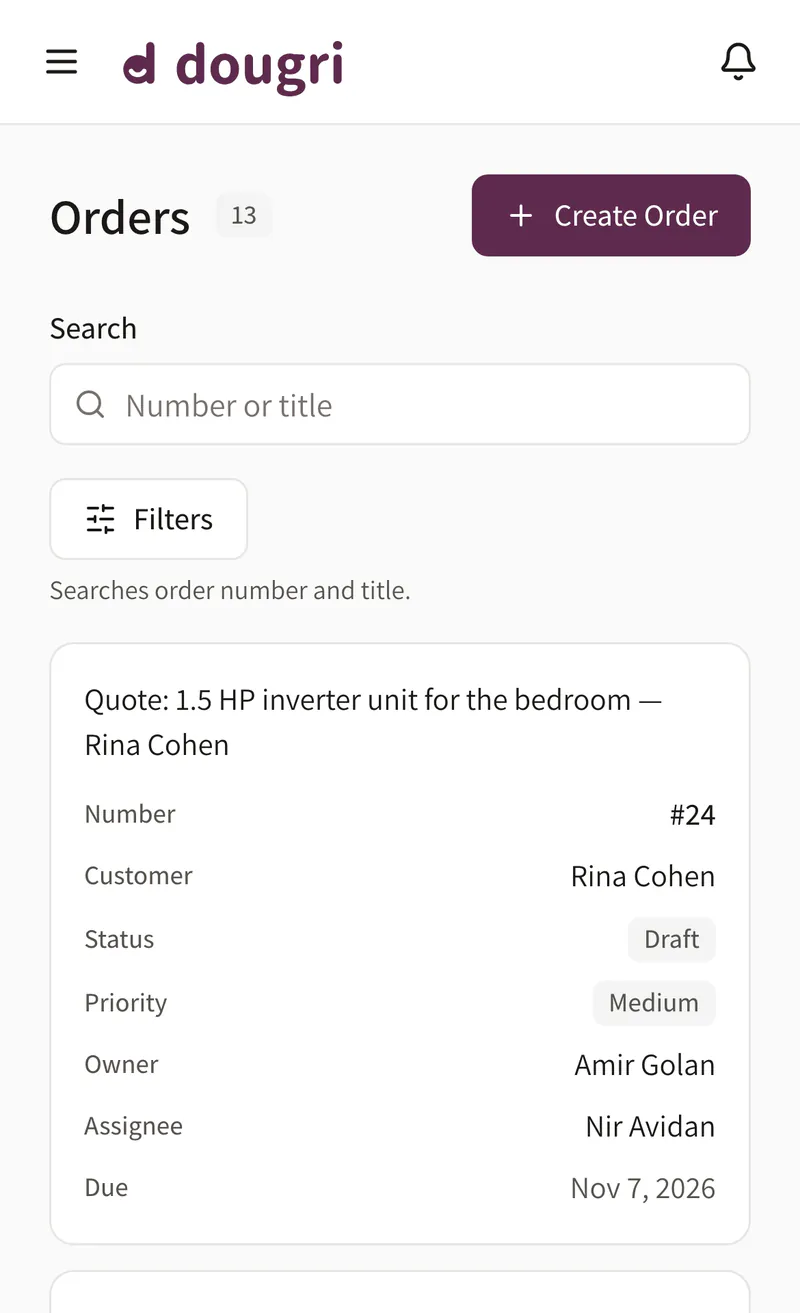
Every service call or installation opens as an order with a number, a customer and a due date. From Team up, you define the statuses around the way you work, such as Waiting for a part, Visit booked, Done; on Solo they come from a ready-made template. The list shows what’s open and with whom, and calls that changed since you last looked are flagged.
Your own statuses (on Solo: from a ready-made template)
Owner and due date
What changed since you looked
The order list. Demo data.
Where are we going today?
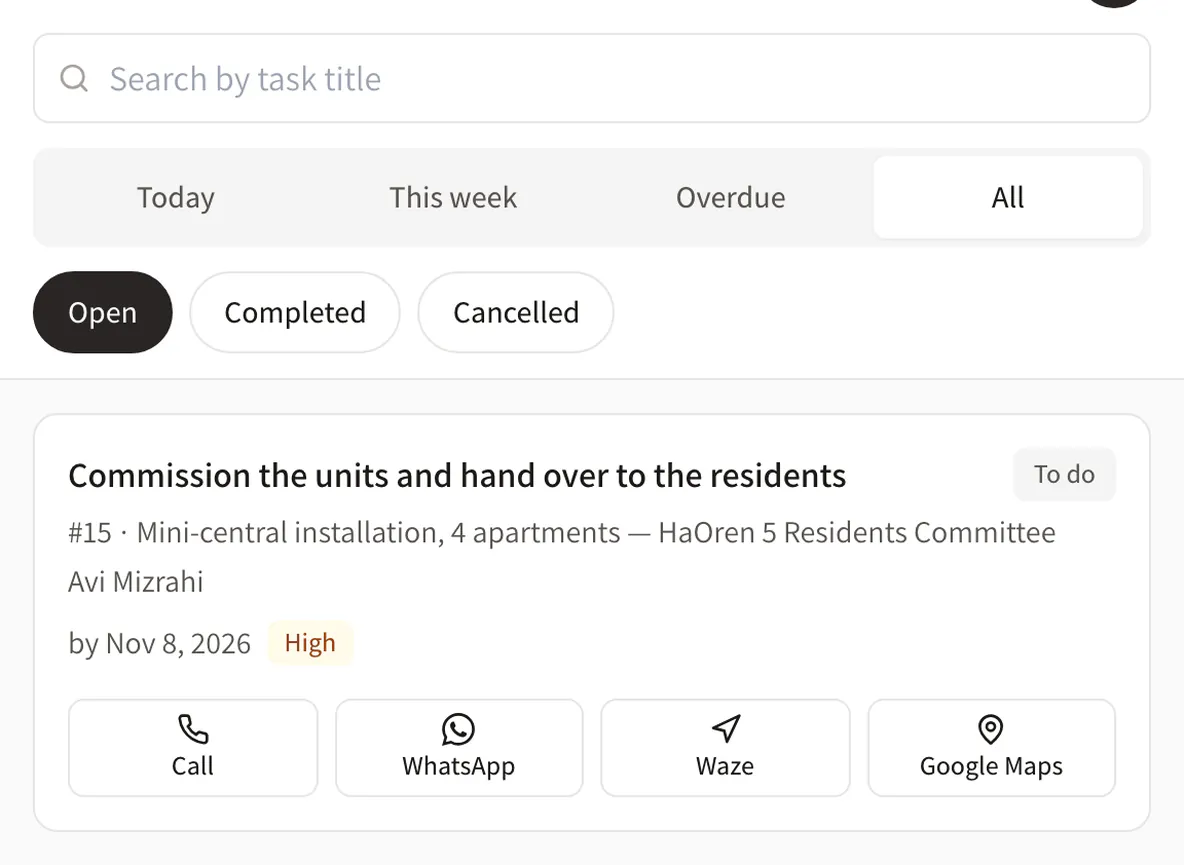
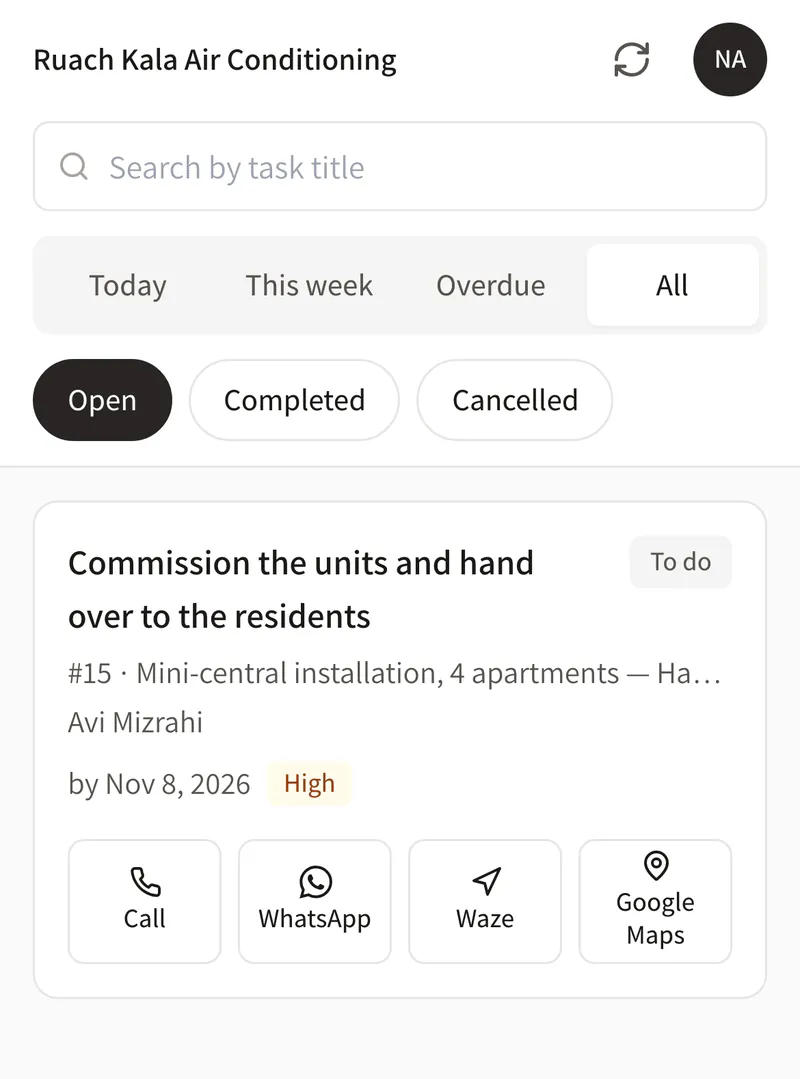
Every technician opens My tasks on their phone, with the Today, This week, Overdue and All tabs. Each task shows the customer’s name and the job details. When a manager marks a task as an On-site visit, the technician it is assigned to also sees the visit address and the customer’s phone on it, with buttons to call, WhatsApp or navigate in Waze or Google Maps, for as long as the task is open. On any other task the technician sees the customer’s name only, and the buttons on the customer card stay with the office and whoever manages the work.
Today and Overdue at a glance
Customer name and job details on every task
On an on-site visit task: the visit address and the phone, with call, WhatsApp and navigate, for the assigned technician while it is open
Call, WhatsApp and navigate from the task or customer card, for the office
My tasks on a phone, as the office sees them: the customer card buttons are for the office and whoever manages the work; a technician gets them only on an on-site visit task. Demo data.
What did the customer say on WhatsApp?
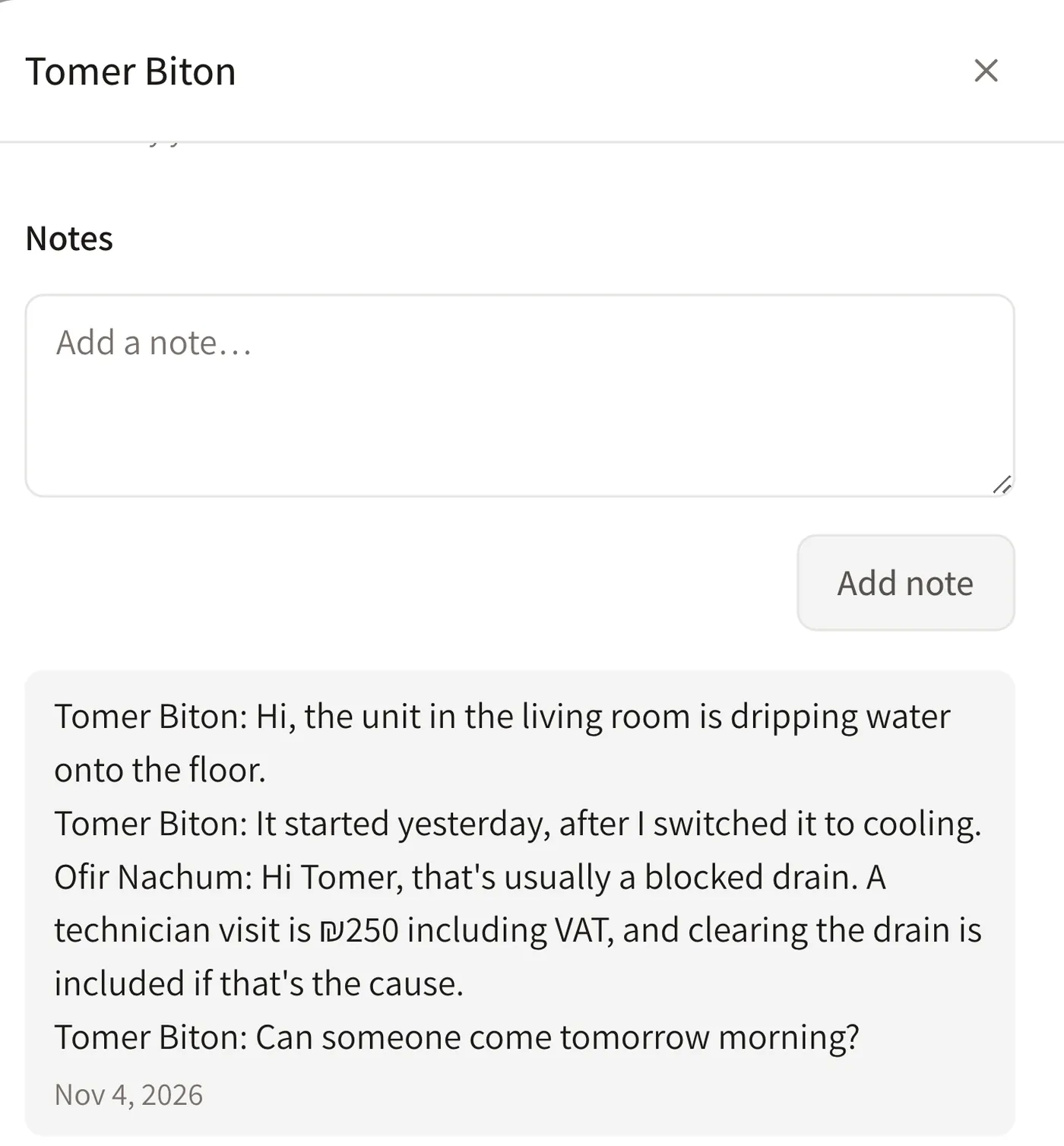
The customer describes the fault on WhatsApp and asks for a visit. Paste the chat into the lead’s or customer’s card and it is saved there as a note. Whoever books the visit and whoever goes out to the customer see the same thing, without forwarding screenshots.
The chat is saved as a note
On the lead or customer card
See what was already said
A pasted WhatsApp chat, saved as a note. Demo data.
Who do we call back today?
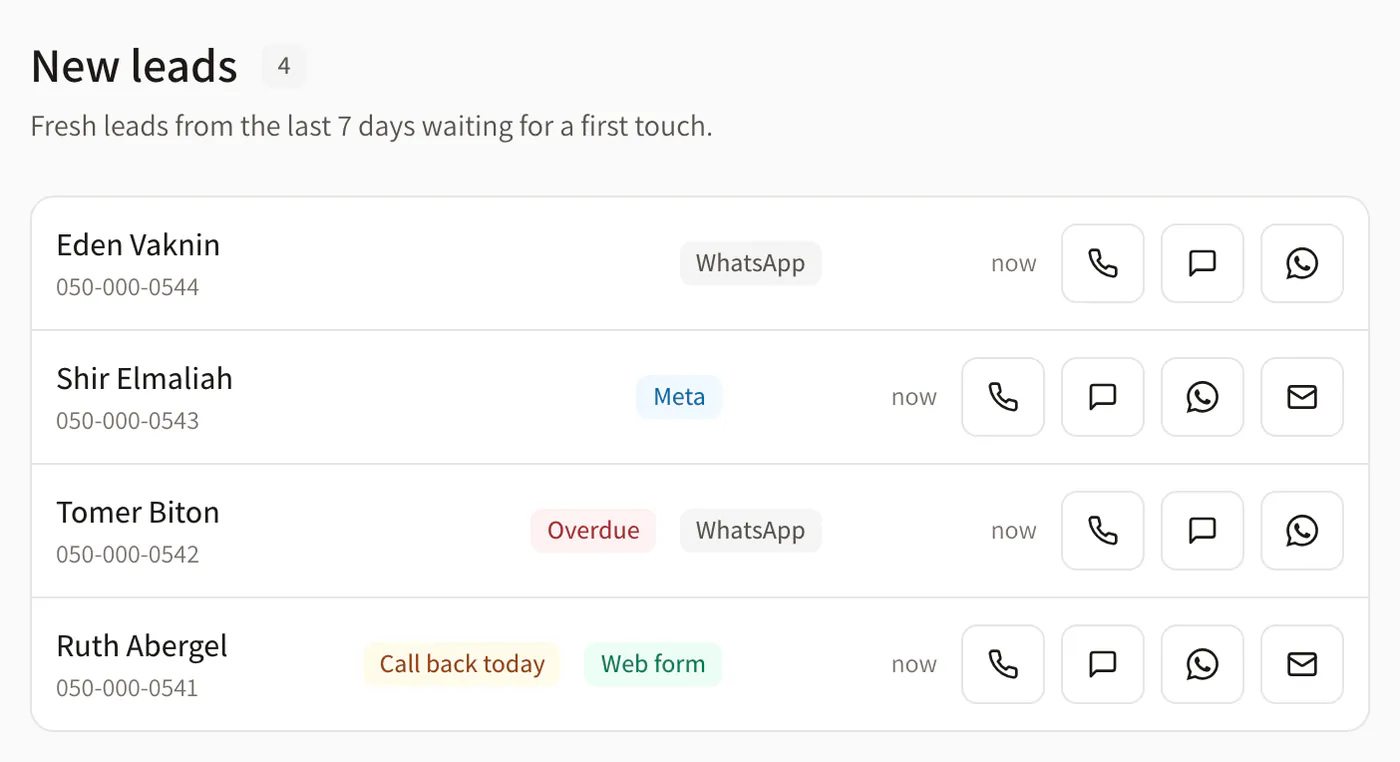
Enquiries from your website form and from Facebook and Instagram lead ads land on one lead board, and a phone enquiry is added by hand. Give each lead a follow-up date, and the board shows who to call back today and who is already overdue.
Leads from your site and social
A follow-up date on every lead
Add one by hand
Leads to call back. Demo data.
What does Dougri include for field service?
Service calls and installations as orders, with your own statuses (on Solo: from a ready-made template) and order numbers.
Customer cards with the address, order history and files, and buttons to call, WhatsApp, Waze and Google Maps.
My tasks on the phone, with the Today, This week, Overdue and All tabs.
A lead board with follow-up dates, and enquiries from your website, Facebook, Instagram and Calendly. LET ME sets up the connections during onboarding.
Works in the phone’s browser and installs on the home screen, in Hebrew and English.
What doesn’t Dougri do yet?
Dougri doesn’t plan routes or show a map: the navigate button opens Waze or Google Maps.
No automatic WhatsApp sync: you paste the chat into the card, and tapping WhatsApp only opens WhatsApp.
Dougri doesn’t issue invoices or receipts, or take payments from customers.
No CSV export of orders. You can export customers and leads.
Which plan fits a technician business?
A technician working alone or with one helper starts on Solo: two users included, and you can add a third. A business with several technicians and an office fits Team: five users included, and you can split tasks between the technicians. Prices and the plans side by side.
Questions from technicians and installers
Can we navigate to the customer straight from the system?
Yes. The customer card has buttons that open Waze or Google Maps with the customer’s address, next to buttons to call and WhatsApp. The buttons are shown to the office and to whoever manages the work. A technician sees them on a task a manager has marked as an on-site visit: the visit address (set per order, pre-filled from the customer’s address) and the phone, while the task is open and only for the technician it is assigned to. On any other task a technician sees the customer’s name only. Dougri itself doesn’t plan routes.
Is there an app for technicians?
Dougri works in the phone’s browser and you add it to the home screen like an app. A technician doesn’t need a computer: in My tasks they see their tasks for today and this week, and what is already overdue.
Does Dougri sync the business’s WhatsApp?
No. You paste the chat from WhatsApp into the lead’s or customer’s card, and it is saved there as a note. Tapping WhatsApp on the card opens WhatsApp with that customer, and nothing syncs automatically.
Do leads from Facebook ads come in by themselves?
Yes, once connected. During onboarding LET ME connects your Facebook and Instagram lead ads, and from then on every enquiry lands on the lead board as a new lead. Enquiries from your website form and from Calendly land on the same board.
Can we see a customer’s history?
Yes. The customer card shows all their orders, such as past installations and service calls, the files attached and the notes, including pasted WhatsApp chats.
What does it cost for a one-technician business?
Solo is ₪249 a month + VAT and includes two users, CRM and simple orders. Team is ₪549 a month + VAT and includes five users. Every account starts with one-time onboarding. Its price and any current offer are on the pricing page.
Want to see it with your business?
A free demo, about half an hour on Zoom or by phone. We show you Dougri on orders and customers like yours.