
Managing customers on WhatsApp: when is it no longer enough?
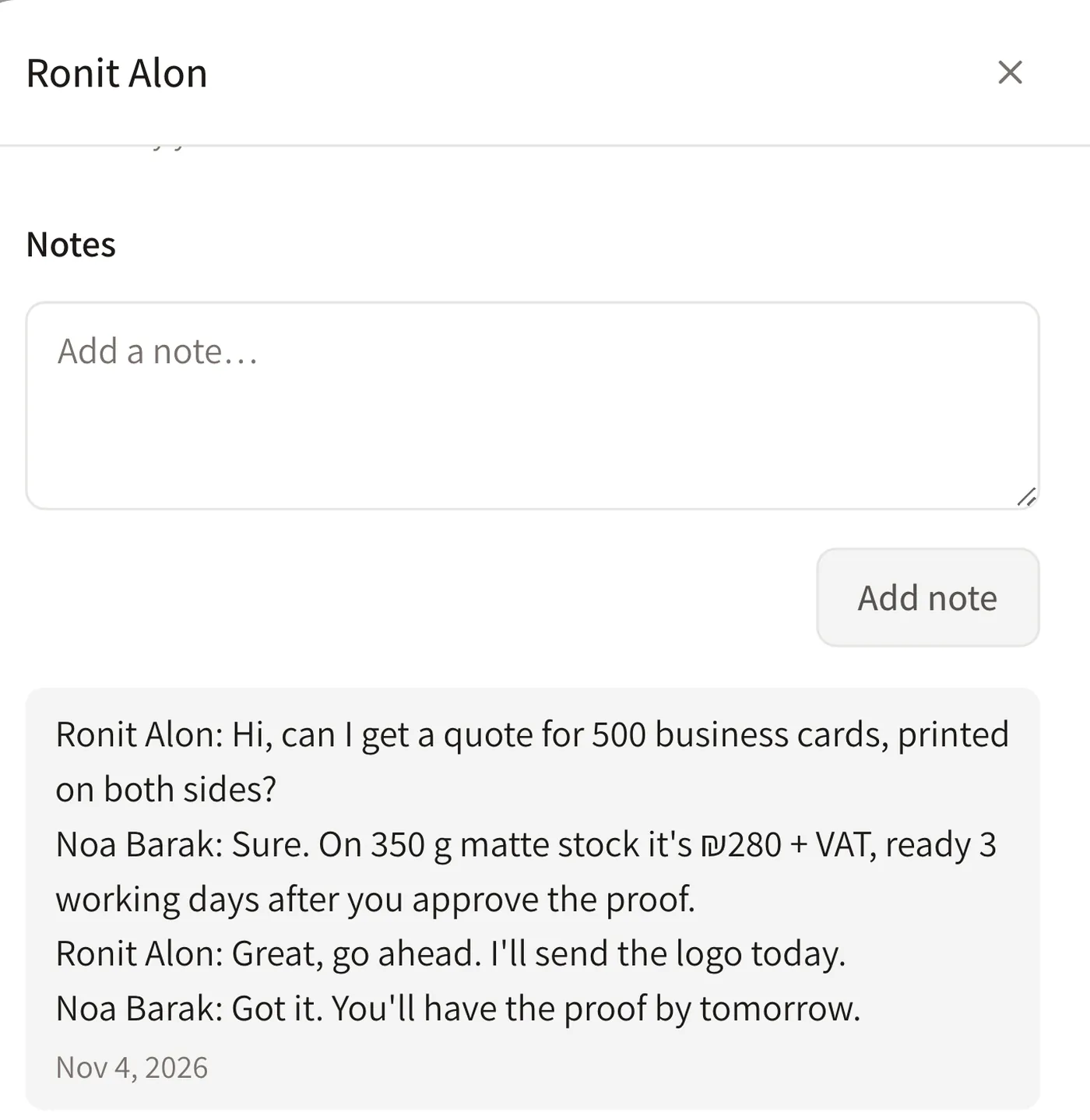
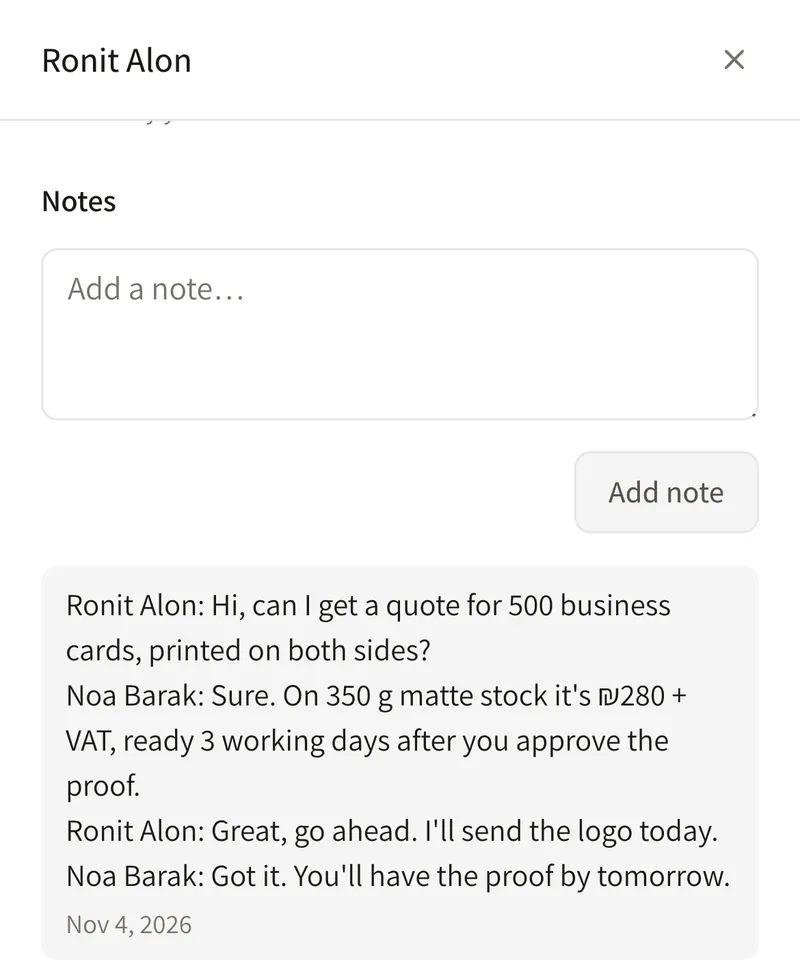
WhatsApp is great for talking to customers, so it stays. The trouble starts when it doubles as your system: messages get buried, there are no stages or owners, and what one person agreed never reaches the team. In Dougri you paste the chat into the lead or customer card, where everyone on the team with access sees it as a note.
WhatsApp stays your customers' channel
Your customers are already on WhatsApp, and whether you use regular WhatsApp or WhatsApp Business, that is where they will keep writing to you. Dougri does not replace WhatsApp, and your WhatsApp chats do not sync into it. It is where the business remembers what was said, who is handling it and what comes next. When you need to reply, tapping the WhatsApp button in Dougri opens the chat in WhatsApp, and the conversation itself stays there.
What gets lost in WhatsApp groups and chats?
While there are few enquiries and one person answers, WhatsApp works. As enquiries grow, these are the things that slip:
- Messages get buried. A quote you sent two weeks ago disappears under a hundred new messages.
- No stages. You cannot see at a glance who is waiting for a quote, who has one and who has already said yes.
- No owner. In a group everyone sees the message, and everyone assumes someone else has already answered.
- Nothing is shared with the team. The chat lives on the phone of whoever answered. When they are on holiday or leave, it goes with them.
- Enquiries from other sources live elsewhere. Enquiries from the website and from Facebook ads do not reach the same chat, and there is no one place to see them all.
How do you manage leads from WhatsApp in Dougri?
- A customer writes to you on WhatsApp. You reply on WhatsApp, as usual.
- Copy the chat and paste it into Dougri. Paste it to create a new lead, or into an existing customer's card. Either way the chat is saved on the card as a note.
- The lead sits in its stage on the board. You see it next to enquiries from the website, from Facebook and Instagram lead ads, and from Calendly.
- It has an owner. Assign the lead to someone on the team, and everyone allowed to see the card sees what has already been agreed.
WhatsApp vs Dougri: what is the difference?
| Topic | A WhatsApp group or chat | Dougri |
|---|---|---|
| Where you talk to the customer | On WhatsApp | Still on WhatsApp. Tapping the WhatsApp button in Dougri opens the chat in WhatsApp |
| What was agreed | Scroll back through the chat | The chat is pasted into the card and saved there as a note |
| What stage the enquiry is at | You cannot see it | A stage on the lead board, using your own stages |
| Who is handling it | Whoever saw it first | You assign each lead to an owner, and tasks have an owner and a due date |
| What the team sees | Only what was written in the group | Everyone allowed sees the card and its notes |
| Enquiries from other sources | Each source separately | Website forms, Facebook and Instagram lead ads and Calendly on one board |
| Moving the chat over | Stays on the phone of whoever answered | By hand: copy and paste. There is no automatic sync |
When is WhatsApp alone enough?
If you answer on your own, to a few customers a week, and you remember what was agreed with each of them, WhatsApp is probably enough. When someone else starts answering too, when a customer asks “what did we agree?” and nobody can find it, or when enquiries also come from the website and from Facebook and Instagram ads, it is time for one place the whole team works from.
Prices for every plan are on the pricing page. Running orders in a spreadsheet? Read also managing orders in Excel or in a system. What else is in Dougri? See what's inside.
Questions about WhatsApp and Dougri
Does Dougri connect to my WhatsApp?
Not in the plans. In them, Dougri does not read your messages and chats do not sync: you copy the chat from WhatsApp and paste it into the lead or customer card, where it is saved as a note. Tapping the WhatsApp button in Dougri opens the chat in WhatsApp. WhatsApp campaigns, automatic reminders and a bot come with the Messaging & Campaigns add-on, priced on request.
Can I keep talking to customers on WhatsApp?
Yes, that is the idea. Customers keep writing to you on WhatsApp and you reply there. Dougri keeps what was agreed, the stage of the enquiry and who is handling it, so the whole team sees the same picture.
How does a WhatsApp chat become a lead?
Copy the chat in WhatsApp and paste it into Dougri. Pasting creates a lead, and the chat is saved on its card as a note. From there the lead sits in its stage on the lead board, next to enquiries from the website and from Facebook and Instagram ads.
Who on the team sees a pasted chat?
Everyone with permission to see that lead's or customer's card. Dougri has roles and permissions, so each person on the team sees and does only what they are allowed to.
Does it work with WhatsApp Business too?
Yes, the same way: copy the chat from WhatsApp or the WhatsApp Business app and paste it into the lead's or customer's card, where it is saved as a note. In the plans there is no connection between Dougri and WhatsApp, and chats do not sync. WhatsApp campaigns, automatic reminders and a bot come with the Messaging & Campaigns add-on, priced on request.
Is pasting WhatsApp chats included in every plan?
Yes, in every plan, including Solo at ₪249 a month + VAT. Every plan and price is on the pricing page.
Want to see it with your business?
A free demo, about half an hour on Zoom or by phone. We show you Dougri on orders and customers like yours.
Book a demo or pick a time in our calendar (opens in a new window)