Print shop software: every job, at every stage, in one place
Last updated:
Dougri is a Hebrew-first system for a print shop’s orders and customers. Every job opens as an order with a number, a status and an owner, and splits into tasks for each stage. Pasted WhatsApp chats, files and history stay on the customer’s card, and enquiries from your website, Facebook and Instagram land on one lead board.
Where is the customer’s order?
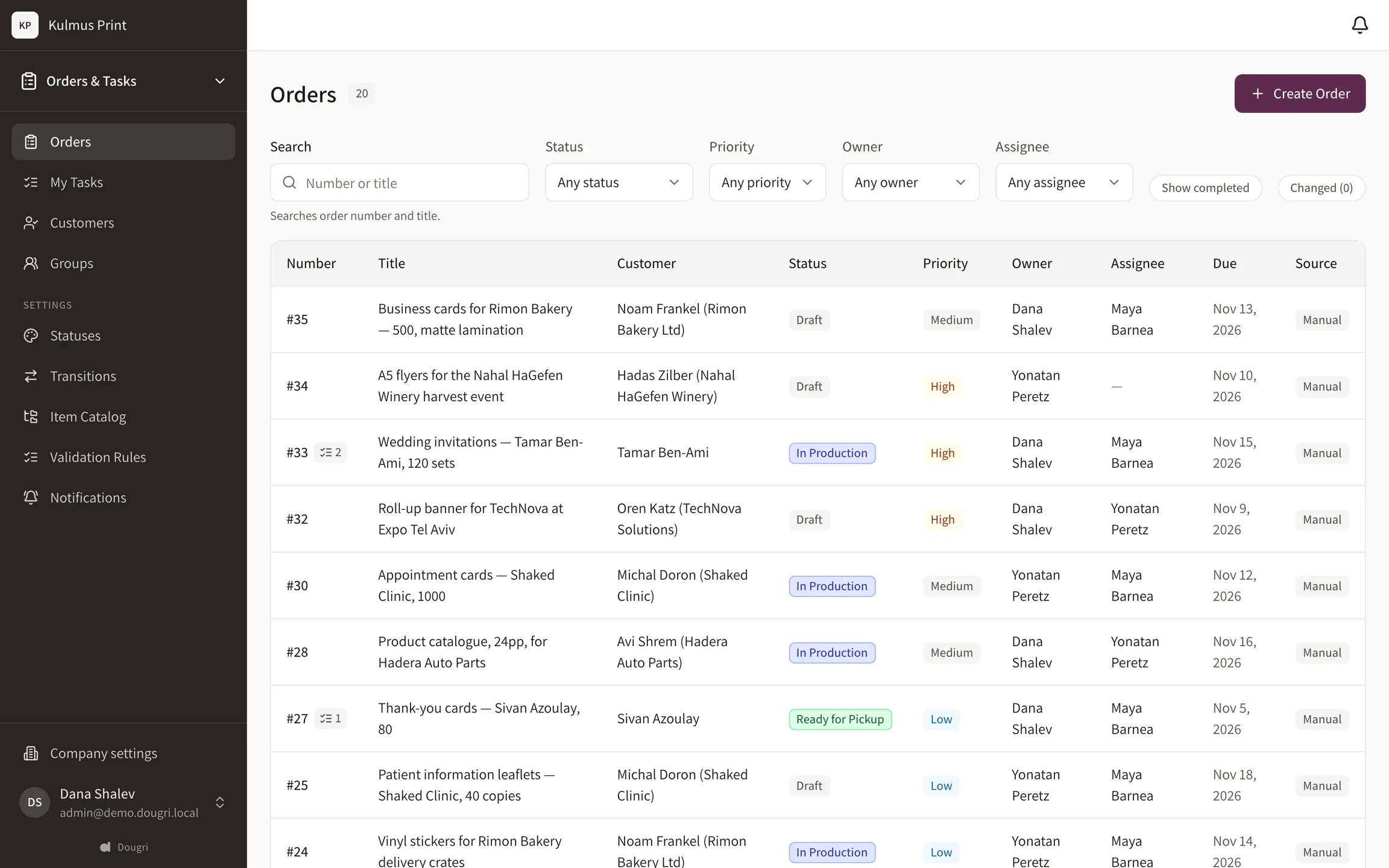
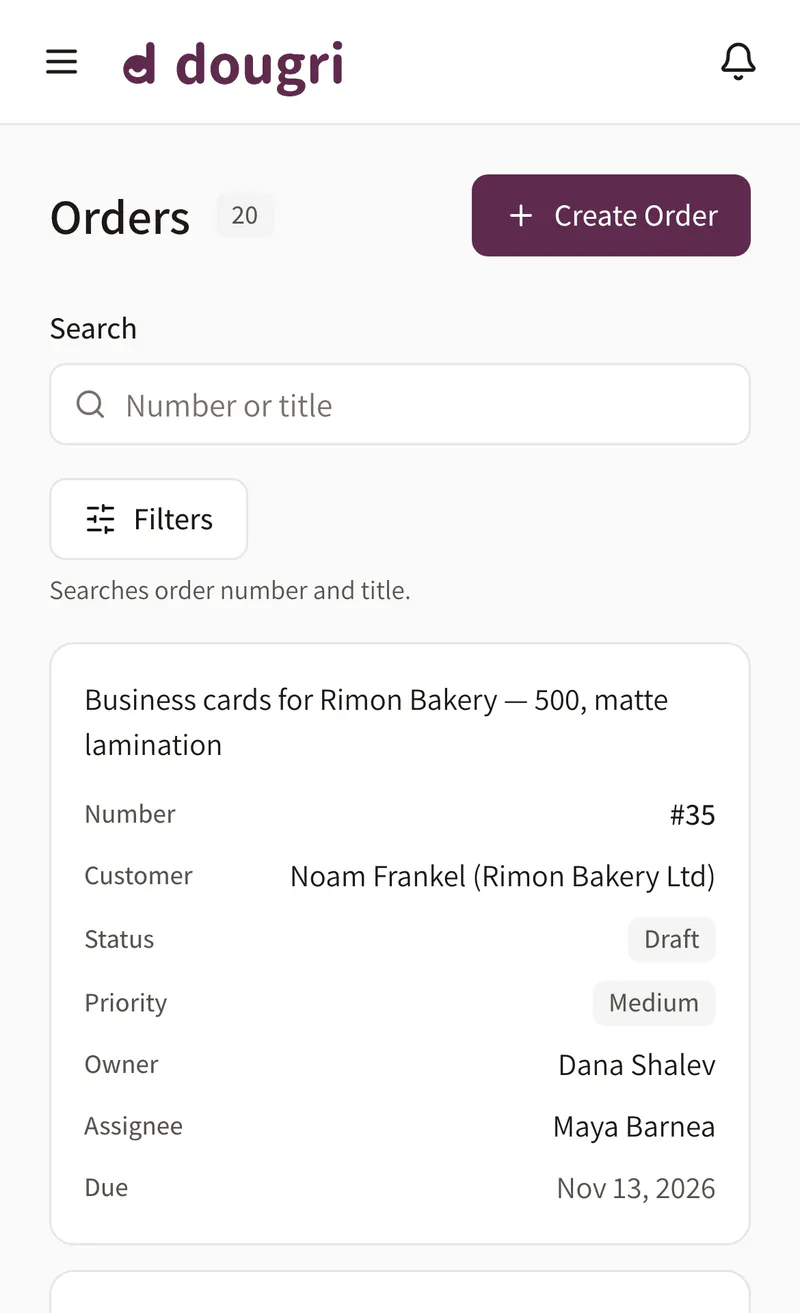
A customer calls to ask when their job will be ready. Look the order up by its number and see its status in the colour you chose, its owner and its due date. Orders that changed since you last looked are flagged in the list, so a customer’s change doesn’t stay only with whoever took the call.
Your own statuses (on Solo: from a ready-made template)
Search by order number
What changed since you looked
The order list. Demo data.
Who is on which stage?
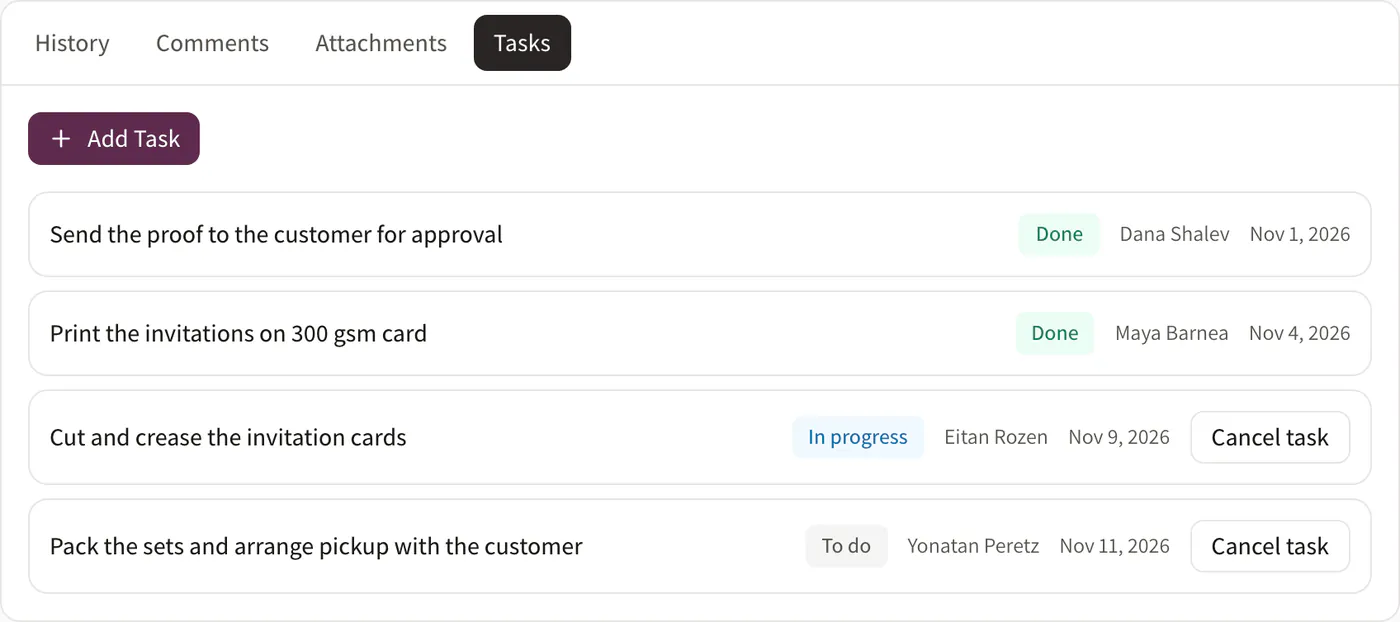
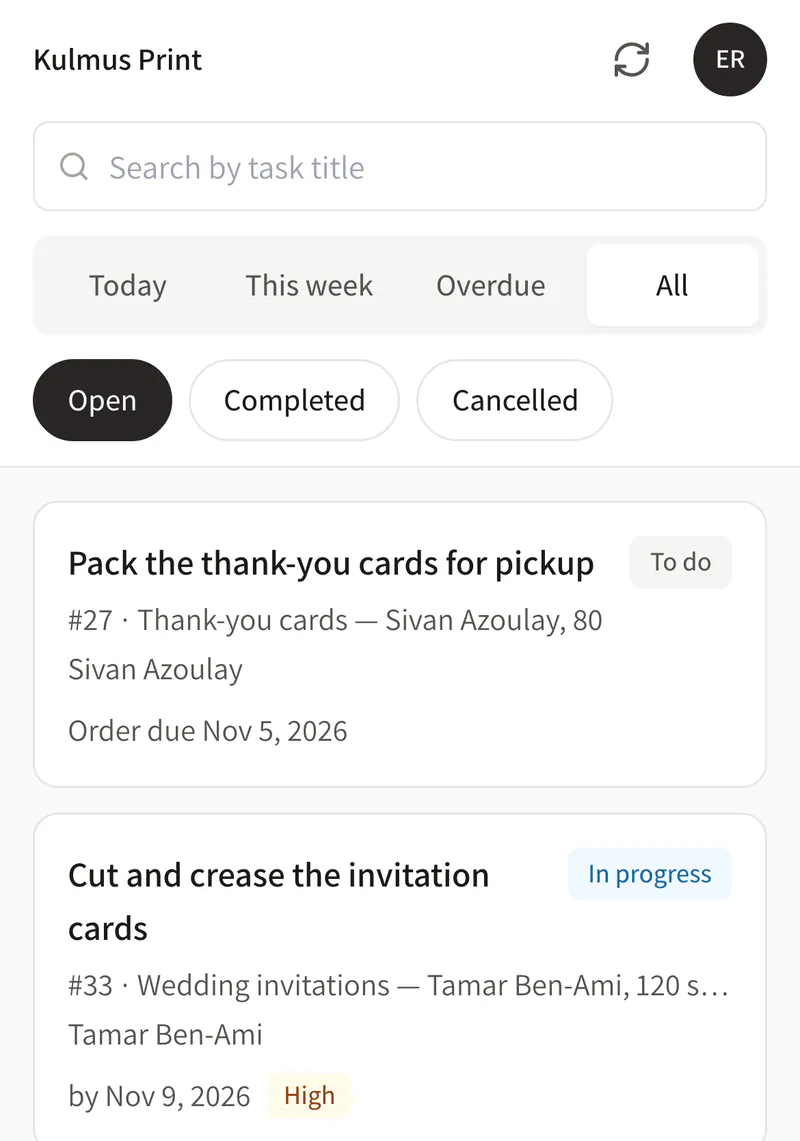
Split each order into tasks for the stages of the work, such as proof, print, cut and pack. Every task has an owner, a status and a due date, and everyone sees their own tasks on their phone: what’s due today, this week, and what’s already overdue.
Tasks on every order
Owner and due date
My tasks on the phone
Tasks on an order and on a phone. Demo data.
What was agreed on the proof?
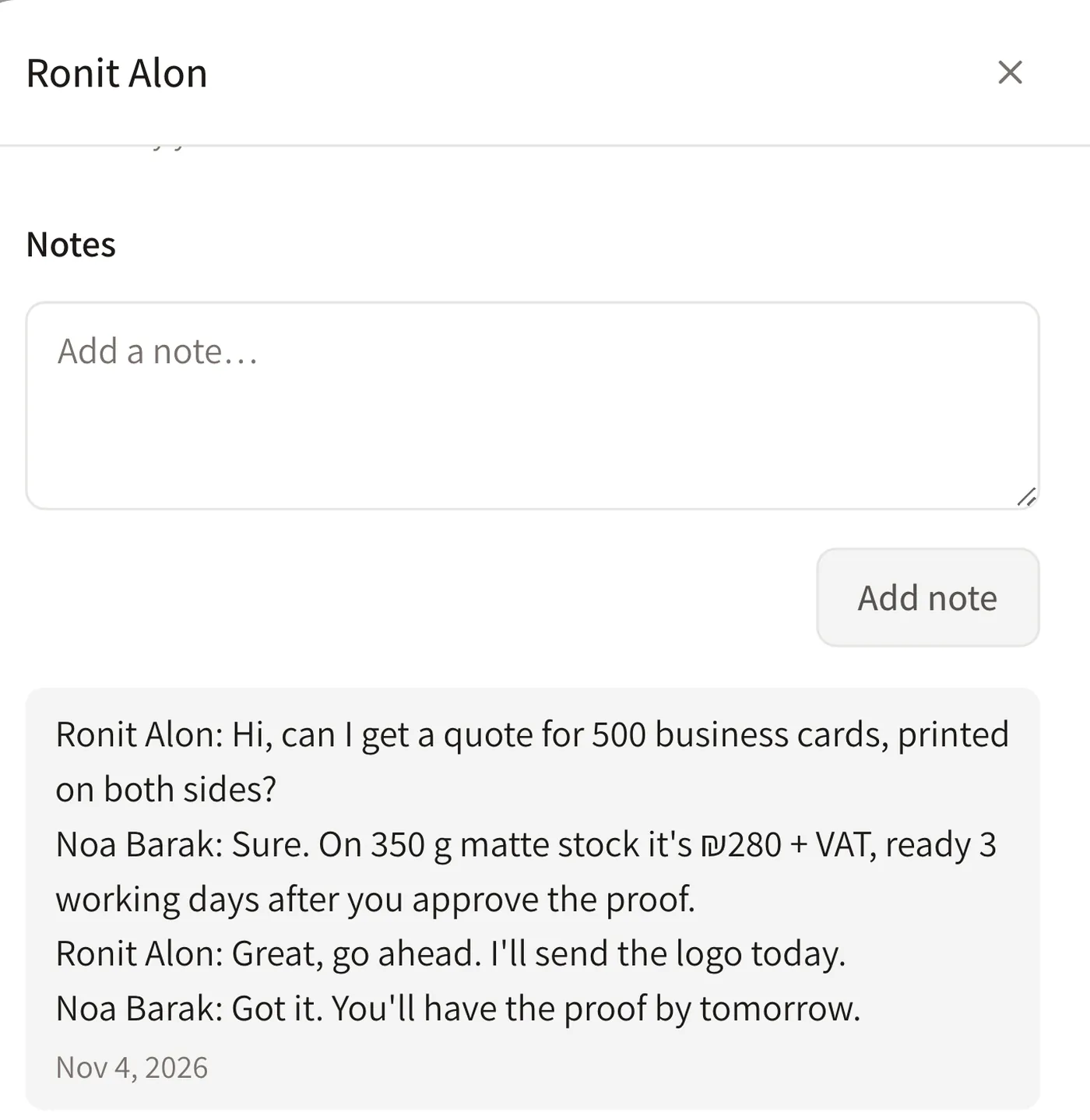
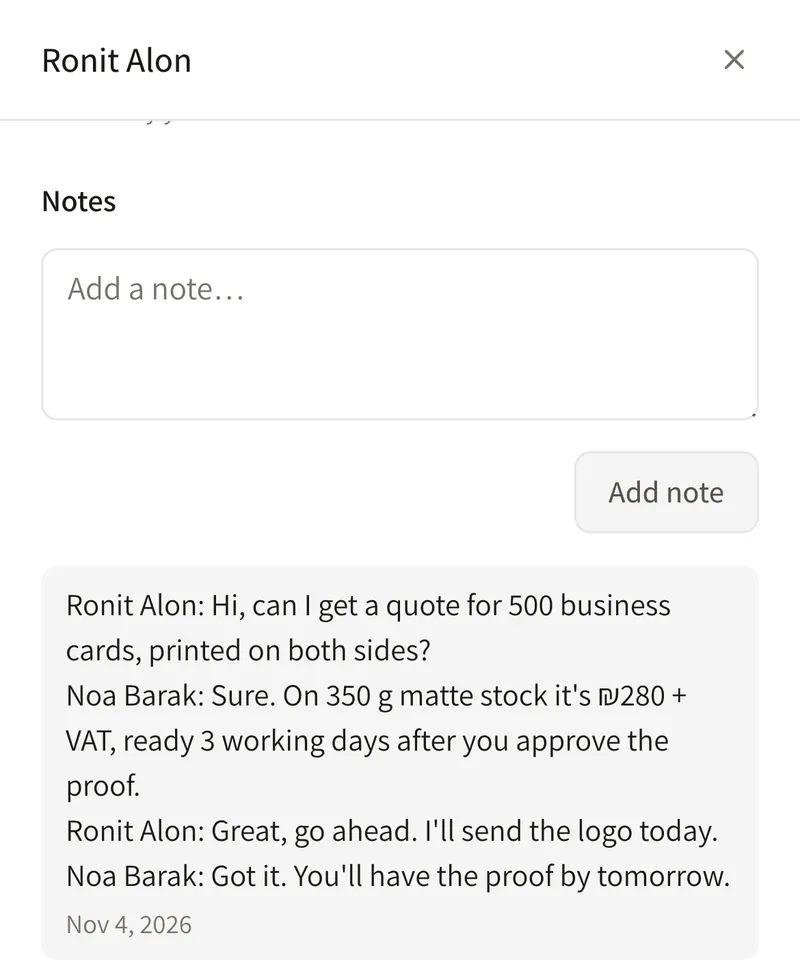
The back-and-forth about the quote and the proof gets spread across WhatsApp, email and calls. Paste the WhatsApp chat into the lead’s or customer’s card and it is saved there as a note. Everyone working on the job sees what was said and what was approved, and the customer’s files go on their card.
The chat is saved as a note
Files on the customer card
See what was already said
A pasted WhatsApp chat, saved as a note. Demo data.
Who has a quote out?
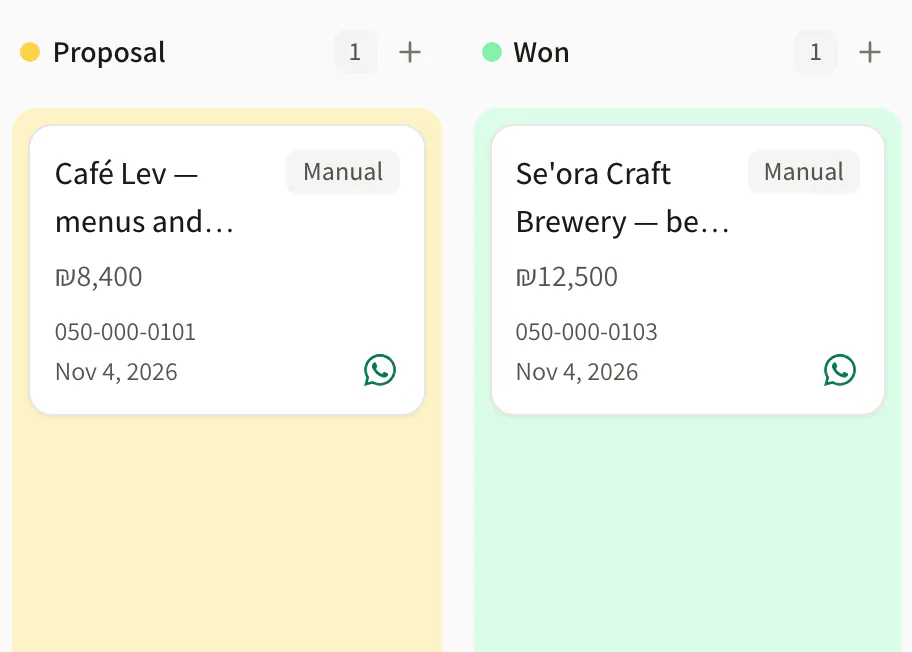
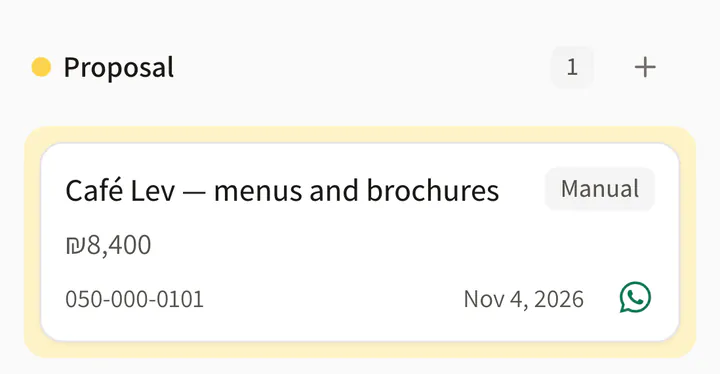
Enquiries from your website form, Facebook and Instagram lead ads and Calendly land on one lead board, and a phone enquiry is added by hand. Every lead sits in its stage, so you see at a glance who already has a quote.
Leads from your site and social
Your own stages
Add one by hand
The lead board. Demo data.
What does Dougri include for a print shop?
An order list with your own statuses (nine preset colours; on Solo: from a ready-made template), order numbers and an order card.
Tasks with an owner, a status and a due date, and My tasks on the phone.
Customer cards with their order history and files.
A lead board by stage, with enquiries from your website, Facebook, Instagram and Calendly. LET ME sets up the connections during onboarding.
CSV import of customers and leads, and CSV export of them.
Hebrew and English, in the phone’s browser, and it installs on the home screen.
What doesn’t Dougri do yet?
Dougri doesn’t issue invoices or receipts. Keep issuing them in the software you use today.
No automatic WhatsApp sync: you paste the chat into the card, and tapping WhatsApp only opens WhatsApp.
No stock management for paper and materials.
No CSV export of orders. You can export customers and leads.
Which plan fits a print shop?
A print shop with a small team fits the Team plan: five users included, and you can split the work between people. A print shop of one to three people manages on Solo, and one with departments, such as prepress, print and finishing, needs Business. Prices and the plans side by side. Want to start by putting the statuses in order? Read the guide Order statuses for a print shop.
Questions from print shops
Can we see all open jobs on one screen?
Yes. The order list shows every job with its number, customer, status, owner and due date, and you can filter by status, owner or priority. Orders that changed since you last looked are flagged in the list.
How do we keep the customer’s proof approval?
Paste the WhatsApp chat in which the customer approved the proof into the lead’s or customer’s card, and it is saved there as a note. Attach the proof file to the customer card. Dougri doesn’t send proofs to customers or collect approvals itself.
Can the people on the floor work from a phone?
Yes. Dougri works in the phone’s browser and installs on the home screen. In My tasks everyone sees their own tasks, in the Today, This week, Overdue and All tabs.
Can we bring our customer list over from Excel?
Yes. You import customers and leads from a CSV file, which any Excel sheet can be saved as. Statuses, sales stages and permissions are set up with you during onboarding.
Does Dougri issue invoices?
No. Dougri manages customers, leads, orders and tasks, but it doesn’t issue invoices or receipts. Keep issuing them in the software you use today.
How much does Dougri cost for a print shop?
Solo is ₪249 a month + VAT, Team ₪549 a month + VAT and Business ₪949 a month + VAT. Each plan includes users (2 on Solo, 5 on Team and 15 on Business), and every account starts with one-time onboarding. Its price and any current offer are on the pricing page.
Want to see it with your business?
A free demo, about half an hour on Zoom or by phone. We show you Dougri on orders and customers like yours.